Silk Honeycomb blind
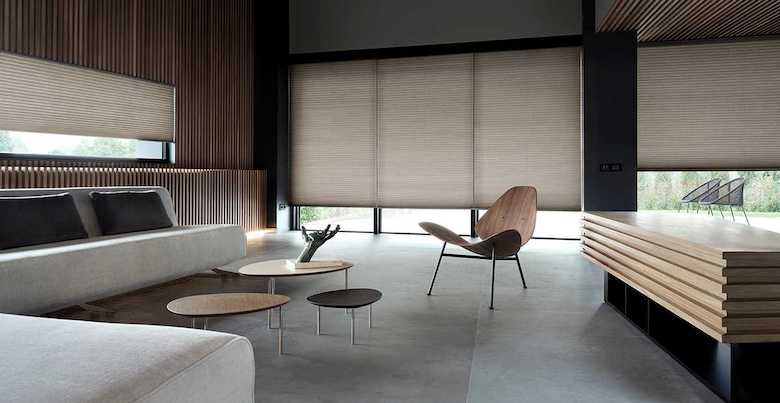
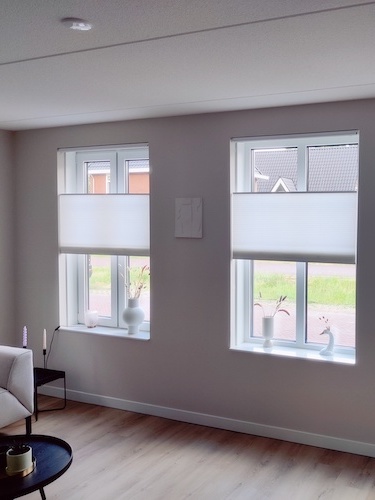
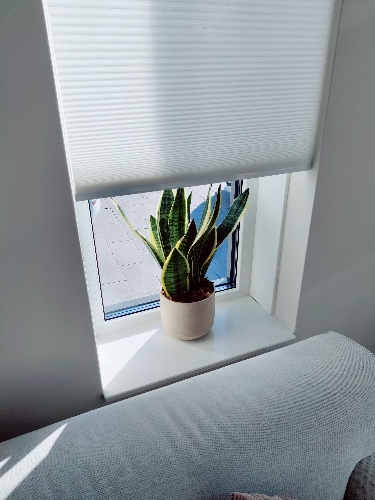
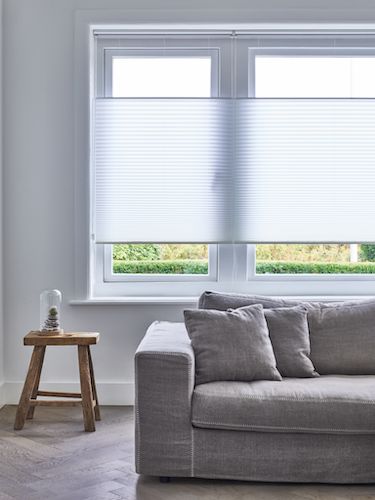
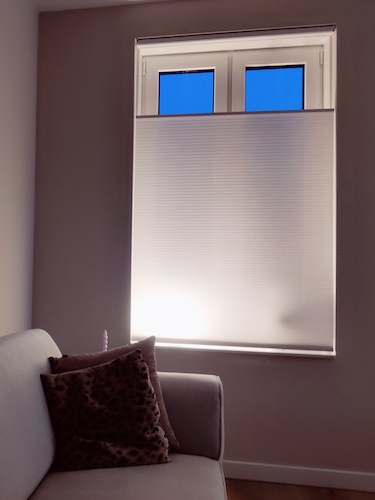
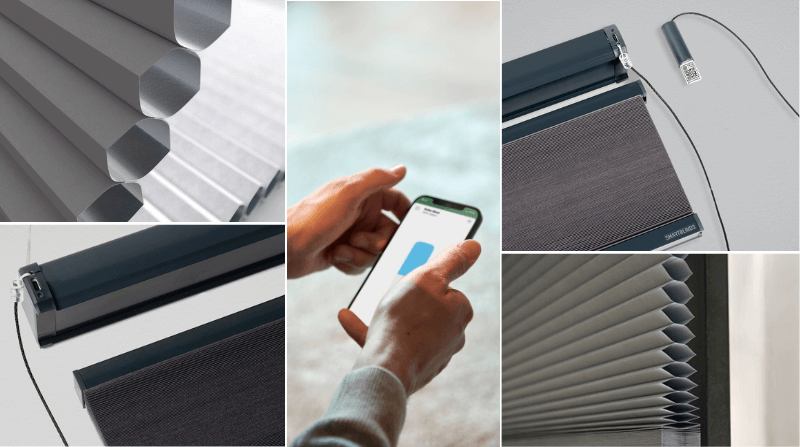
Silk honeycomb blinds blinds feature a 25mm honeycomb cell with a silky soft texture and a white backing for heat reflection. Available in twelve appealing colors and two transparency options (light-filtering and blackout), suitable for use throughout the home.
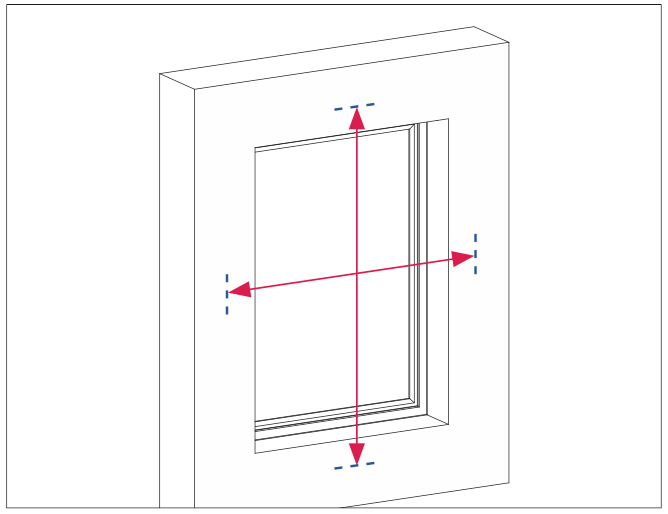
Our products are fully custom-made. Enter the desired width and height of your honeycomb blind and we will take care of the rest. Use a dot for decimal values, for example 120.5. You do not have to take any margins into account, we calculate them ourselves. Please note! Before you start measuring, note any obstacles such as door and/or window fittings sticking out, heating pipes or inward-turning doors and windows.
Want to know how to measure? Check out our Measuring instructions!
Up to 350cm wide
Are you looking for a honeycomb blind wider than 297 cm? Smartblinds can produce blinds up to 350 cm wide. For these larger widths, you can configure the Spare with motor or manually operated.
- Option A: Determining dimensions for mounting inside the recess
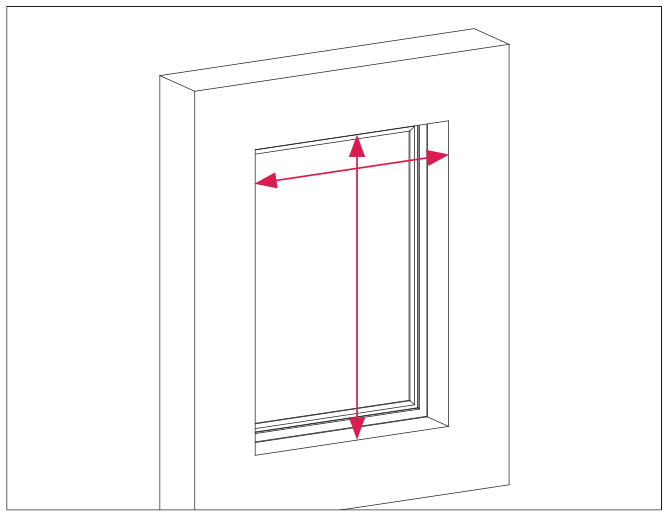
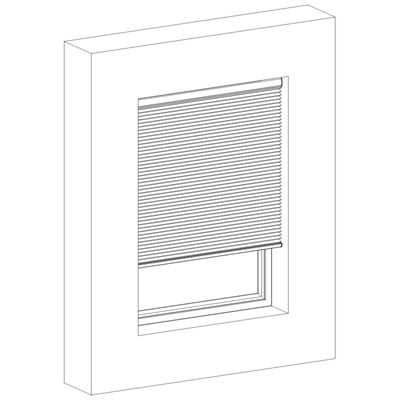
Measure the width at the top of the window and measure the height at the centre of the window. Please note! We supply the honeycomb blind with a reduction of 3 mm on both sides. Specify the exact size of your window and we will make sure the honeycomb blind falls exactly in between. So do not make any reductions! In addition, allow for a system height of 10 cm due to possible obstacles such as inward-swinging doors and windows.
- Option B: Determine dimensions for mounting on window
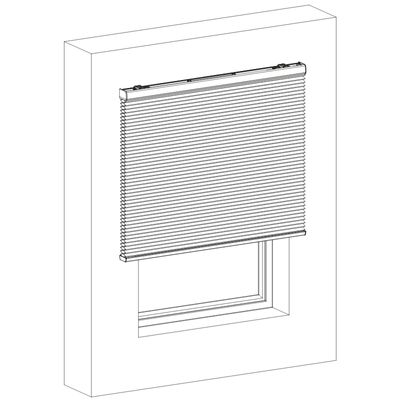
Measure the width and height of the window, with a small overlap. We recommend an overlap of 5 cm on both sides. So add a total of 10 cm to the width measurement. To determine the height, add the package height of your honeycomb blind (see table below) to the height of your window. Do you want the honeycomb blind to continue at the bottom? Then decide how many extra centimetres you want in height.
Our products are fully custom-made. Enter the desired width and height of your honeycomb blind and we will take care of the rest. Use a dot for decimal values, for example 120.5. You do not have to take any margins into account, we calculate them ourselves. Please note! Before you start measuring, note any obstacles such as door and/or window fittings sticking out, heating pipes or inward-turning doors and windows.
Want to know how to measure? Check out our Measuring instructions!
Up to 350cm wide
Are you looking for a honeycomb blind wider than 297 cm? Smartblinds can produce blinds up to 350 cm wide. For these larger widths, you can configure the Spare with motor or manually operated.
- Option A: Determining dimensions for mounting inside the recess
Measure the width at the top of the window and measure the height at the centre of the window. Please note! We supply the honeycomb blind with a reduction of 3 mm on both sides. Specify the exact size of your window and we will make sure the honeycomb blind falls exactly in between. So do not make any reductions! In addition, allow for a system height of 10 cm due to possible obstacles such as inward-swinging doors and windows.
- Option B: Determine dimensions for mounting on window
Measure the width and height of the window, with a small overlap. We recommend an overlap of 5 cm on both sides. So add a total of 10 cm to the width measurement. To determine the height, add the package height of your honeycomb blind (see table below) to the height of your window. Do you want the honeycomb blind to continue at the bottom? Then decide how many extra centimetres you want in height.
You can choose to hang your blind inside the recess or outside the recess:
- Inside the recess
If you hang the honeycomb blind inside the recess, it is mounted between the walls of your window. With this choice, we therefore supply your honeycomb blind with a 3 mm reduction on both sides.
- Outside the recess
If you hang the honeycomb blind outside the recess, it is mounted on the wall and hangs over the window with overlap on both sides.
Want to know more about how to measure? View our measurement instructions here
At Smartblinds, you have the choice between 2 different motors. Read about the differences below, so you know which motor to choose.
Motionblinds Bluetooth motor
Operation possible via:
Pull cord
Remote control (can be added as an optional accessory)
MotionBlinds Bluetooth app
With the Motionblinds Bluetooth app, you can control Smartblinds indoors. In addition, you can set timers in the app when your blinds automatically move, regardless of whether you are at home or not.
To connect to a home automation system (e.g. Homey, IFTTT or Home Assistant) or a smart home platform other than Apple HomeKit, we recommend you choose the Motionblinds Bluetooth Motor and connect it to your home automation system via a Motionblinds Wi-Fi bridge.
Eve Motionblinds Matter motor
Operation possible via:
Pull cord
Remote control (can be added as an optional accessory)
Linking to your smart home
The Eve Motionblinds Matter motor allows you to link your Smartblinds directly to your favourite smart home platform. This allows you to control your Smartblinds anywhere, anytime, set timers and add your Smartblinds to automations and scenes with other smart home devices. To connect to your smart home platform, you do need a smart hub that supports the Matter protocol.
By choosing a motor side, you determine on which side you want to operate and charge your Smartblinds. If you choose the left side, the motor, pull-down controller and charging port are located on the left side of the product. Would you like this to be on the right-hand side? Then choose right.
Would you like to control your Smartblinds with a remote control? Simply add one to your order!
With one remote control, you can operate 5 to 15 different scenes. You can link multiple products to the same channel, allowing them to be controlled simultaneously.
5-Channel Remote Control

Choose this option if you want to set up to 5 scenes to control with the remote.
15-Channel Remote Control

Choose this option if you want to set many scenes to control with the remote.
Here you can fill in a reference for your assembled blind. That way you will soon know exactly which product is for which window in your house!
When you are looking for window coverings, it is important to determine beforehand what transparency you want in certain rooms. In bedrooms, for example, more blackout is usual than in the living room. Smartblinds fabrics can be divided into three different transparencies:
Blackout
Opacity: none - Light from outside is completely blocked and has no possibility to illuminate rooms.

Light filtering
Opacity: limited - Light from outside is obstructed, but not completely blocked.

Sheer
Opacity: full - Light from outside finds its way in, but the fabric offers the desired privacy.

Your blinds should, of course, match your interior. The colour and look of fabrics and materials can sometimes differ from reality from a screen or due to differences in light transmission. We therefore always recommend requesting free fabric samples in advance, so you can assess the fabric (colour) in real life!
A lining affects both the look and functionality of your Roman blind or curtain. It can help make the fabric appear fuller, improve insulation and allow you to better tailor the amount of light entering your room.
No lining
A good choice if you mainly want to preserve the appearance of the fabric and do not need extra insulation or blackout properties.
Light-filtering lining
Ideal if you would like extra insulation while still allowing natural light into your home. This lining also gives the Roman blind or curtain a more beautiful, fuller finish.
Blackout lining
The best choice for rooms where you want more privacy, insulation and blackout effect. Perfect, for example, for the bedroom or a room where bright light is unwanted.
Not sure which lining will suit best? Simply order free colour samples of both the Roman blind or curtain fabric and the lining. By placing the samples behind one another at home, you can immediately see how the combination will look in your interior.
Single Pleat
A single pleat is a clean, modern curtain style where the fabric is gathered
into a single fold at regular intervals. This creates a neat, understated look
with the fabric evenly distributed across the curtain.
- Clean, modern look
- Creates less fullness
- Suitable for lightweight to medium-weight fabrics
- Hangs neatly with a clean finish
Double Pleat
A double pleat uses two folds at each curtain hook, giving the curtain more
fullness and a richer, more luxurious look than a single pleat.
- Fuller, more luxurious look
- Creates a beautiful, even drape
- Suitable for almost all curtain fabrics
- A popular choice for living rooms and bedrooms
Wave
Wave curtains use a specially designed track and gliders to create smooth,
even waves in the fabric. The waves run evenly across the full width of the
curtain, creating a clean and contemporary look.
- Modern and elegant look
- Smooth, even waves
- Ideal for large windows
- Looks stylish both open and closed
Please note: Wave curtains require a special wave track
to create their distinctive, even folds.
Our systems are available in two sizes, small and large. The small system is suitable for small to medium-sized roller blinds. For large sized blinds, only a large system is possible. Our advice is to start by putting together the roller blind for your largest window in the house. If it turns out that you can only choose a large system for this blind, we recommend doing the same for the rest of your Smartblinds. This way you avoid having multiple Smartblinds in your home with different systems. Is your largest product also suitable for a small system? Then choose the system size that you prefer.
Below you will find the system height of the various systems, so that you can take this into account when ordering. Are you mounting your product in the window, but do you have a window that opens inwards? Then you can use this to check whether you have enough room for this.
Dimensions bracket system small:
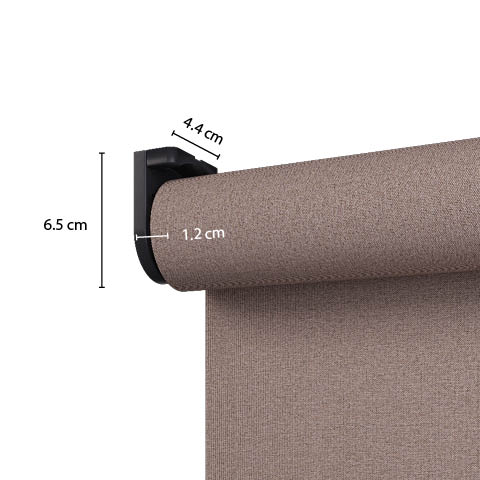
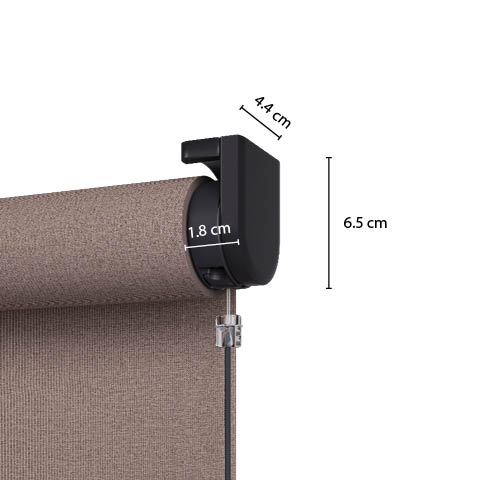
Dimensions bracket system large:
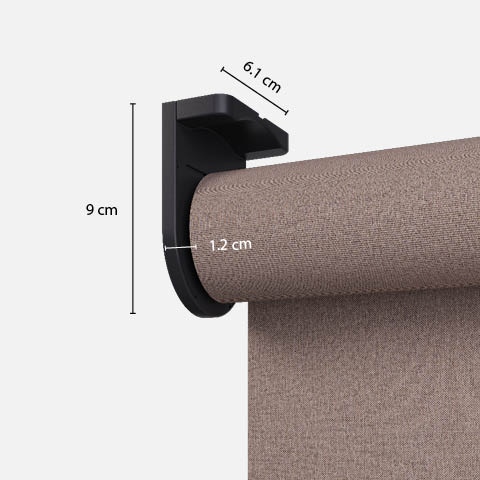
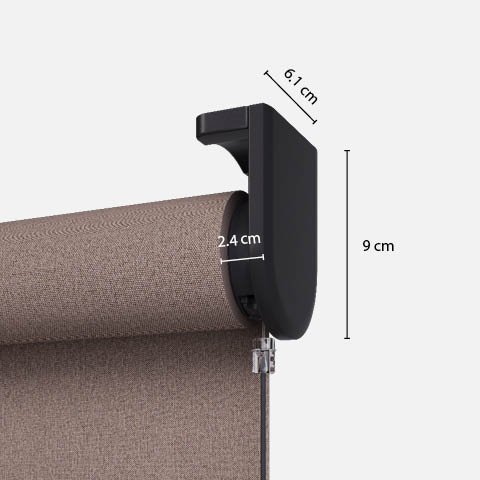
Dimensions cassette system small:
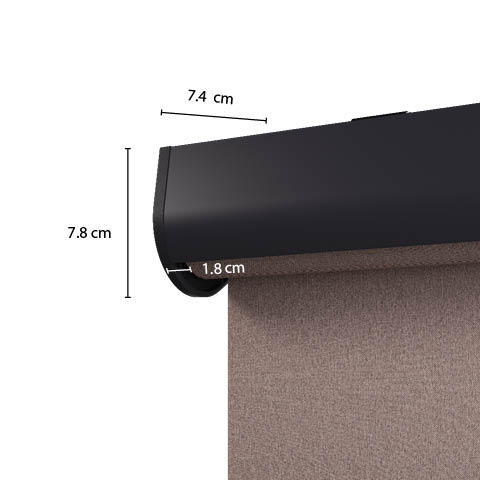

Dimensions cassette system large:
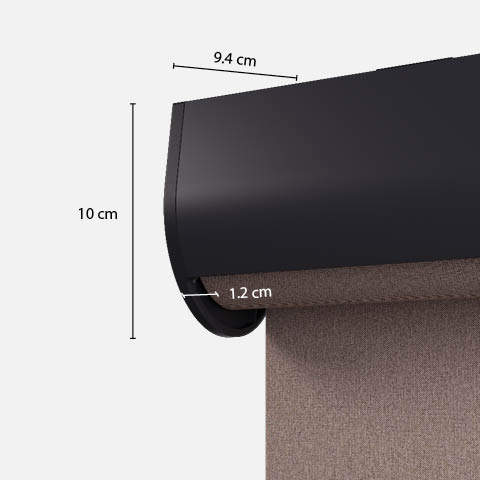
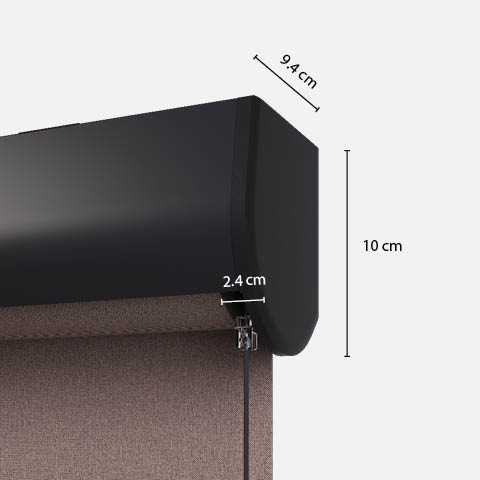
Our systems for roman blinds are available in two sizes: small and large. Which system size can be used depends on the dimensions of your roman blind. For small and medium-sized roman blinds, you can often choose between system small and system large. For larger roman blinds, only system large is available.
Good to know: system small and system large differ not only in size, but also in appearance. Are you planning to install several roman blinds in the same room? We recommend configuring the roman blind for your largest window first. If it turns out that only system large is available for this blind, we recommend choosing system large for your other roman blinds as well. This helps prevent different systems from being placed next to each other.
Is your largest roman blind also suitable for system small? Then you can choose the system size you prefer.
Below you will find the dimensions of the different systems. This allows you to take them into account when ordering. Are you mounting your roman blind inside the window recess and do you have a window that opens inwards? Please check carefully whether there is enough space for the system.
Dimensions system small:

Dimensions system large:

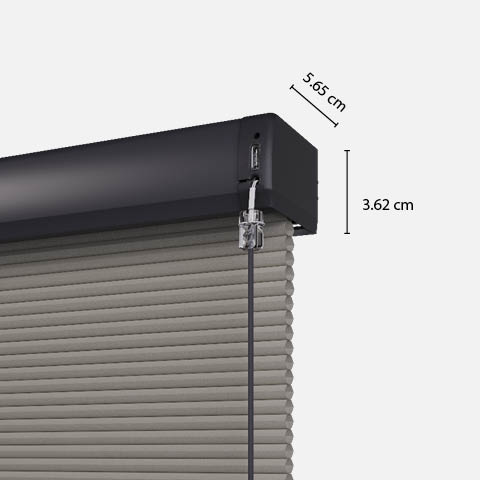
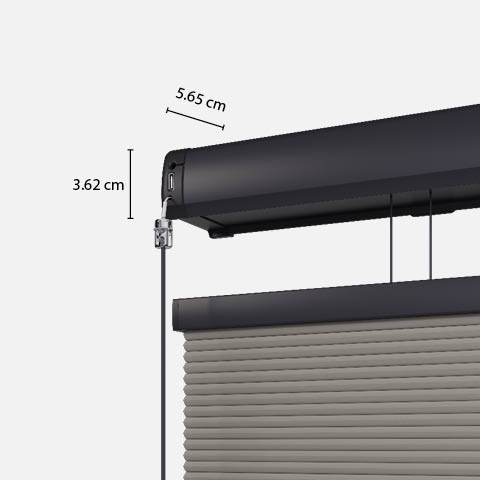
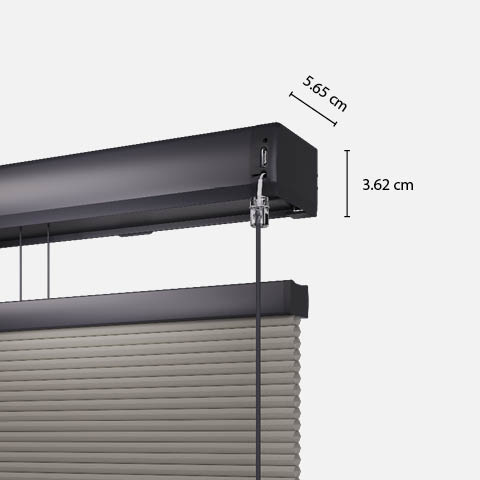
When putting together your honeycomb blinds, Smartblinds gives you a choice of two different types of systems:
Top down:
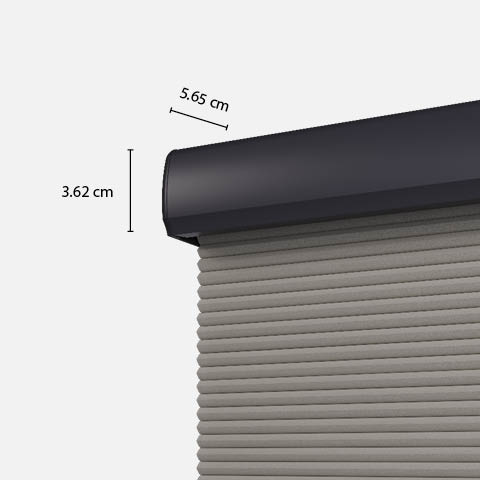
Top down & Bottom up:
Adding manual product to your order? Then contact our customer service team!
Our systems are available in white, grey, anthracite and black.
Colour information:
- White = RAL 9003
- Grey = RAL 7004
- Anthracite = RAL 7016
- Black = RAL 9011
Our Smart Frame systems are available in white, off-white, anthracite and black.
Colour information:
- White = RAL 9003
- Off-white = RAL 9001
- Anthracite = RAL 7016
- Black = RAL 9005
Our systems for roman blinds are available in white and black.
Colour information:
- White = RAL 9003
- Black = RAL 9005
For the honeycomb structure of your honeycomb blinds, you can choose between 25 mm and 45 mm. The 25 mm honeycomb is generally suitable for all windows. The 45 mm variant is a popular choice especially for large windows. Not sure which structure is the best choice for you? Then request our free fabric samples to evaluate them in your home. Would you like advice? Then feel free to contact us!